How to Choose a Commercial Printing Machine?
Choosing a Commercial Printing Machine is a business decision, not a race for the fastest press. The right choice depends on the jobs you actually sell, the materials you run, and the time your team can spare for setup. A machine that looks impressive in a showroom may struggle with your everyday mix of short-run brochures, heavy cover stock, and urgent reprints.
Frank Romano, a longtime printing-industry educator, is associated with a useful principle. A practical paraphrase—not a verbatim quotation—of that advice is: “Choose a press for the work you need to produce, not headline speed alone.” That distinction matters. Check real samples, not only specification sheets. Ask to see a job printed on your preferred paper, then inspect fine text, solid color areas, registration, and finishing quality under normal lighting.
Look beyond the press itself. Estimate monthly volume, average run length, make-ready time, operator training, service access, and the cost of consumables. A compact digital machine may suit variable jobs and quick turnaround. A production press may make more sense when consistent, higher-volume work fills the schedule. Neither is automatically better.
The details can surprise you. A narrow doorway, limited floor space, or a slow finishing step can undermine a promising purchase. Compare total operating costs and confirm service response times with the supplier. Test before you commit. And leave room for doubt: forecasts change, and the “perfect” machine may not exist. A careful evaluation helps you choose equipment that fits today’s workload while leaving practical room for growth.
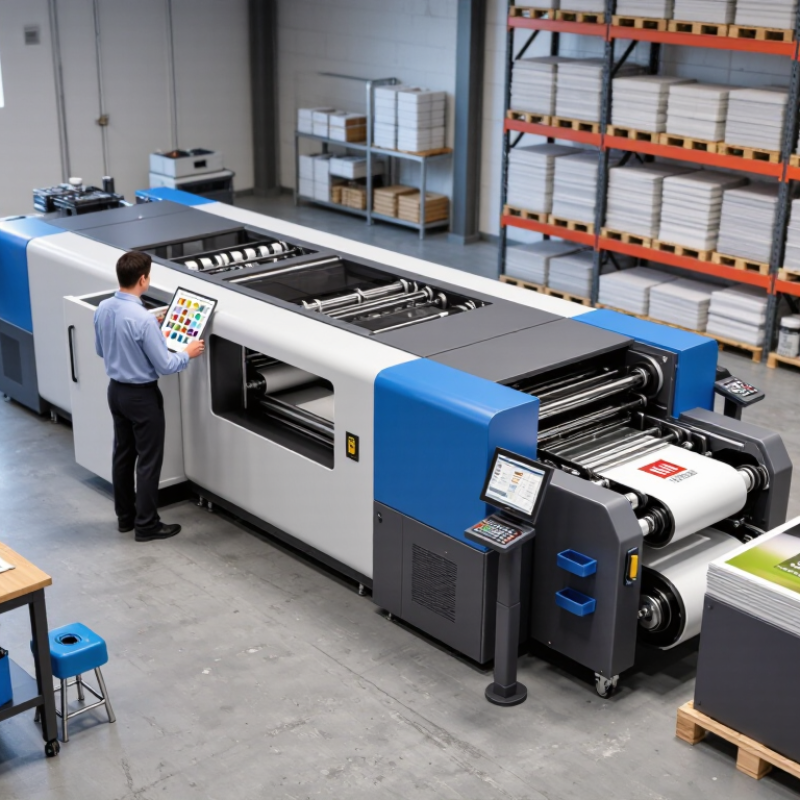
Define Your Printing Requirements and Expected Workload
Before comparing commercial printing machines, define what your shop actually needs to produce. Record monthly page volume, typical job size, color requirements, and the paper stocks you use. A shop printing short-run brochures on heavy stock has different needs from one producing thousands of invoices on standard paper.
Look beyond average volume. Note your busiest weeks, daily deadlines, and how often jobs change between formats. Small batches matter. A machine’s rated speed may not reflect real output when operators must change paper, adjust settings, or clear jams. Include finishing steps, such as folding or binding, because these can become bottlenecks even when printing is fast. Waste adds up.
Use recent job records rather than optimistic estimates. The forecast will not be perfect, and it should not pretend to be. If volumes vary sharply, compare typical and peak workloads before choosing a capacity range. Leave practical room for growth, but avoid paying for speed or features your team rarely uses. A simple workload sheet can reveal whether the real need is higher volume, faster turnaround, or more flexibility.
Compare Printing Technologies and Their Best-Fit Applications
Offset presses suit long runs of brochures, catalogs, and repeat packaging jobs. Their setup takes time, but unit costs can fall as quantities rise. Color consistency also matters: ask suppliers to test the intended paper stock, not just a coated sample.
Digital toner and inkjet presses fit short runs, variable names, and frequent artwork changes. There is no universal winner.
Smithers’ The Future of Digital Printing to 2032 forecasts digitally printed product value rising from $136.7 billion in 2022 to $230.5 billion by 2032. That growth signals expanding use, not proof that digital is right for every shop.
Flexographic presses often fit high-volume labels and flexible packaging, especially when a job repeats. For signs, displays, or oversized graphics, wide-format inkjet offers flexible sizing and material choices.
Check drying time, substrate handling, finishing needs, and the actual cost per saleable sheet. The awkward part: quoted speed may not include changeovers or rejected sheets. Request a timed sample run on your material, then compare usable output, labor, and waste. A slightly slower machine can be the better fit.
Calculate Total Ownership Costs and Operational Requirements
How to Choose a Commercial Printing Machine?
Calculate Total Ownership Costs and Operational Requirements
A low purchase price can hide expensive power, service, consumables, and downtime. Build a five-year cost sheet before comparing machines. Include installation, operator training, maintenance contracts, replacement parts, ink or toner, plates, and finishing equipment. The U.S. Department of Energy’s Federal Energy Management Program recommends evaluating lifecycle costs, not purchase price alone. Keep the same workload and ownership period for every quote.
Put electricity into real numbers. The U.S. Energy Information Administration reported an average commercial electricity price of about 12.4 cents per kilowatt-hour in 2023. If a press averages 20 kilowatts for eight hours a day, 250 days a year, that is about 40,000 kWh, or $4,960 annually at that rate. Your local tariff may differ. Use measured or supplier-verified average draw, not maximum rated power. That estimate can still be wrong.
Operational fit matters just as much. Record monthly volume, peak shifts, common sheet sizes, changeover frequency, and acceptable downtime. Ask for a live test using your own stock and a mixed job queue; brochure speeds rarely reflect short runs and frequent setup changes. Check service response times and parts availability, then price the cost of a stopped shift. Downtime costs, too. A faster machine may not pay back if it sits idle or needs more skilled staffing.
Verify Supplier Support and Test the Machine Before Purchase
When comparing commercial printing machines, look beyond rated speed and purchase price. Ask who installs the equipment, trains operators, and answers urgent service calls. Request written response times, maintenance schedules, and information about commonly needed spare parts. Promises sound reassuring. Written details are better. Confirm whether support is available during your production hours, not just standard office hours.
Before buying, run a sample job that resembles your daily work. Bring your usual paper or other stock, then check color consistency, registration, and finishing quality. Record setup time, usable output, and waste—not just the fastest pages-per-minute figure. Run the job again after a short pause; results may change as the machine warms up. A clean demonstration can hide everyday problems. No test is perfect, so note what you could not verify and ask for another trial if needed.
Tips: Bring a real file, inspect several finished sheets, and ask the operator to show a routine adjustment. Keep your notes. Small delays matter. A little doubt before signing can prevent expensive surprises later.
How to Choose a Commercial Printing Machine? — Verify Supplier Support and Test the Machine Before Purchase
Illustrative example only. Rate each item from 1 (weak or unverified) to 5 (strong and verified) using your own supplier checks and machine test results.
Ask for clear service-response and spare-parts arrangements, then run representative jobs on the machine. Check print quality, operating speed, and consistency against your requirements before committing to a purchase.
